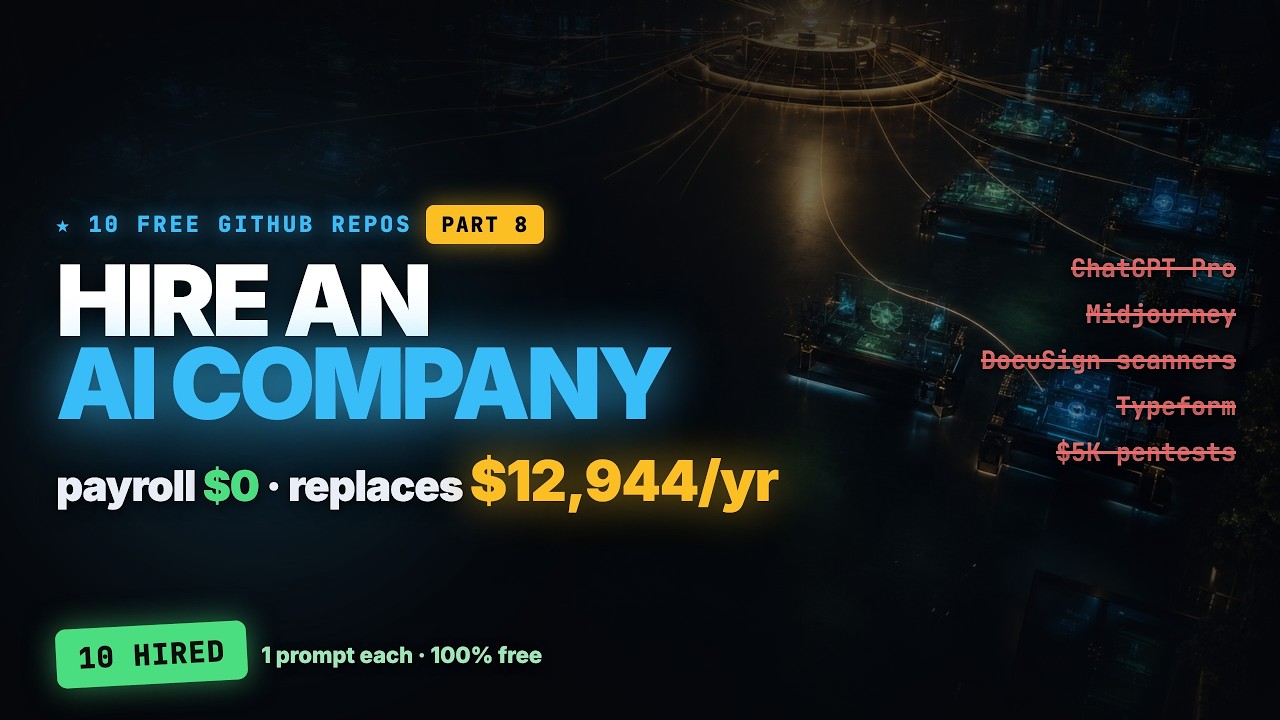
10 GitHub Repos So Good They Shouldn't Be Free — Part 8 (Hire an AI Company, Payroll $0)
Hyperautomation Labs frames 10 free, self-hosted GitHub repos as an AI 'staff' replacing over $12,000/year of paid SaaS, covering document conversion (Markitdown), web crawling (Crawl4AI), browser automation (Browser Use), site-change alerts (changedetection.io), and more, ending with OpenClaw, a self-hosted personal assistant that lives in your chat apps and controls the rest.
Coding-agent workflow is the loop of inspect, route, plan, edit, verify, summarize, and decide what should be automated next.
New playlist item from Hyperautomation Labs; queued for transcript-backed review, topic mapping, and a practical learning artifact.
Skill you build: The ability to identify which paid SaaS subscription a given open-source, self-hosted tool can replace, and to weigh the real trade-off (your own setup time, API costs, and security responsibility versus the vendor's subscription price).
Watch for the shift from claim to mechanism. The learning value is the point where the transcript reveals a repeatable action, tool boundary, context move, review habit, or artifact.
Concept diagram
Where this video fits.
01Inspect context
02Route tool
03Plan work
04Edit safely
05Verify behavior
06Report next step
Deep lesson
Turn this video into working knowledge.
2,346 cleaned transcript words reviewed across 690 timed caption segments.
Thesis
10 GitHub Repos So Good They Shouldn't Be Free — Part 8 (Hire an AI Company, Payroll $0) teaches a practical coding-agent workflow move: Hyperautomation Labs frames 10 free, self-hosted GitHub repos as an AI 'staff' replacing over $12,000/year of paid SaaS, covering document conversion (Markitdown), web crawling (Crawl4AI), browser automation (Browser Use), site-change alerts (changedetection.io), and more, ending with OpenClaw, a self-hosted personal assistant that lives in your chat apps and controls the rest.
The goal is not to remember the video. The goal is to extract the operating principle, tie it to timestamped evidence, test how far the claim transfers, and make something reusable.
0:38
Markitdown, the clerk
“time this series has ever crossed a million. The biggest lineup I have ever assembled. Watch the corner. As each one gets hired, an ID badge punches in on your staff board and the counter climbs to show...”
Microsoft's Markitdown (167,000 stars) converts messy files (PDF, Word, Excel, PowerPoint) into clean structured markdown with tables and links intact, handles OCR on images and transcribes audio, and installs as a single pip command, replacing the roughly $240/year convert-and-export use case of Adobe Acrobat Pro, though it's built to feed AI, not to edit or sign PDFs for humans. Pick one messy document type you regularly convert or clean up by hand (a scanned PDF, a spreadsheet export) and pip-install Markitdown to run it once, comparing the markdown output against what you'd normally do manually.
4:19
changedetection.io, the lookout
“paid equivalent is a no code automation service like Browse AI, which is $69 a month on the annual professional plan, about $828 a year with run limits on top. Browser use is a single pip install. Honest...”
changedetection.io (32,000 stars) watches any web page and alerts you the moment something changes, a price drop, restock, or competitor pricing update, across 100+ channels like Discord, Slack, and email, using browser steps to log in first and a point-and-click selector to watch just the part of the page you care about, replacing a service like Visual Ping ($1,200/year for 200 pages). Deploy changedetection.io with one docker run against a single page you'd normally check manually (a competitor's pricing page or a product restock page) and set up one alert channel to confirm it fires correctly.
12:14
OpenClaw, the chief of staff
“claude code copilot Gemini CLI cursor and it gives you a clean workflow a constitution then specify then plan then tasks then implement you start it with a single command honest note it does nothing on its own...”
OpenClaw went from an empty repo in November to 383,000 stars in under eight months, becoming the most-starred installable software on GitHub ever; it's a self-hosted personal AI assistant that lives inside chat apps you already use (WhatsApp, Telegram, Slack, Discord, 20+ channels) with browser, shell, file access, and scheduled jobs, so it can run a daily inbox briefing, and it rotates API providers automatically if one fails, replacing ChatGPT Pro's $2,400/year do-everything tier. Before installing OpenClaw, read its security docs on sandboxing and pairing codes (since it has shell access and reads your private messages), then set up one low-risk scheduled job, like a daily briefing, to test it safely.
01
Inspect context
Start with this video's job: Hyperautomation Labs frames 10 free, self-hosted GitHub repos as an AI 'staff' replacing over $12,000/year of paid SaaS, covering document conversion (Markitdown), web crawling (Crawl4AI), browser automation (Browser Use), site-change alerts (changedetection.io), and more, ending with OpenClaw, a self-hosted personal assistant that lives in your chat apps and controls the rest. Treat "Inspect context" as the outcome you are trying to make visible, not a topic label. Anchor it to 0:38, where the video says: “time this series has ever crossed a million. The biggest lineup I have ever assembled. Watch the corner. As each one gets hired, an ID badge punches in on your staff board and the counter climbs to show...”
02
Route tool
Use "Route tool" to locate the part of the coding-agent workflow mechanism the video is demonstrating. Ask what changes in your real setup if this claim is true. Anchor it to 4:19, where the video says: “paid equivalent is a no code automation service like Browse AI, which is $69 a month on the annual professional plan, about $828 a year with run limits on top. Browser use is a single pip install. Honest...”
03
Plan work
Turn "Plan work" into the reusable artifact for this lesson: A coding-agent routing and execution matrix with context needed, tool choice, verification, and done signal. This is where watching becomes something you can inspect and reuse.
04
Edit safely
Use "Edit safely" as the application surface. Decide whether the idea touches a browser flow, a local file, a model choice, a source document, a UI, or a review step.
05
Verify behavior
Use "Verify behavior" to prove the lesson. The evidence should connect back to the video title, transcript anchors, and a concrete output, not a generic best-practice claim.
06
Report next step
Use "Report next step" to carry the idea forward: save the prompt, checklist, diagram, or operating rule that would make the next agent run better.
Example
Source-backed artifact packet
Convert the video into a scoped artifact request that includes the transcript claim, mechanism, acceptance criteria, and proof. The output should be a coding-agent routing and execution matrix with context needed, tool choice, verification, and done signal..
Example
Coding-agent workflow proof brief
Separate what the speaker claims, what the demo actually proves, and what still needs outside verification before you adopt the coding-agent workflow pattern.
Example
Teach-back module
Transform the lesson into a definition, a Inspect context -> Route tool -> Plan work -> Edit safely -> Verify behavior -> Report next step diagram, one misconception, one practice exercise, and a check-for-understanding question.
Do not learn it wrong
Treating the title as the lesson without checking what the transcript actually says.
choosing tools by hype
losing context across agents
letting parallel sessions become invisible
Letting the lesson drift into generic Codex vs Claude comparison.
Letting the lesson drift into feature lists without task routing.
Letting the lesson drift into claims that ignore limits or recovery.
Do not count this as learned until these are true.
01
State the transcript-backed claim in your own words: Hyperautomation Labs frames 10 free, self-hosted GitHub repos as an AI 'staff' replacing over $12,000/year of paid SaaS, covering document conversion (Markitdown), web crawling (Crawl4AI), browser automation (Browser Use), site-change alerts (changedetection.io), and more, ending with OpenClaw, a self-hosted personal assistant that lives in your chat apps and controls the rest.
02
Explain the practical stakes without hype: New playlist item from Hyperautomation Labs; queued for transcript-backed review, topic mapping, and a practical learning artifact.
03
Map the idea onto the Inspect context -> Route tool -> Plan work -> Edit safely -> Verify behavior -> Report next step sequence and name the weakest link.
04
Produce the artifact and include the evidence that proves it: A coding-agent routing and execution matrix with context needed, tool choice, verification, and done signal.
Put it into practice
Give this grounded prompt to Codex or Claude after watching.
You are helping me turn one specific YouTube video into real, durable learning.

Source video:
- Title: 10 GitHub Repos So Good They Shouldn't Be Free — Part 8 (Hire an AI Company, Payroll $0)
- URL: https://www.youtube.com/watch?v=LqtOXORJsJU
- Topic: Interfaces + Open Design
- My current learning frame: Pick two or three of the 10 tools that map to subscriptions you currently pay for, install each with its documented one-line setup command, and run one real task through each to confirm it replaces the paid tool before canceling anything.
- Why this matters: New playlist item from Hyperautomation Labs; queued for transcript-backed review, topic mapping, and a practical learning artifact.

Transcript anchors from this exact video:
- 0:38 / Evidence 1: "time this series has ever crossed a million. The biggest lineup I have ever assembled. Watch the corner. As each one gets hired, an ID badge punches in on your staff board and the counter climbs to show..."
- 2:43 / Evidence 2: "and the junk. So what your AI gets is just the content perfect for feeding a rag pipeline. It drives a real browser so it can deep crawl an entire site, handle login and sessions and even resume..."
- 4:19 / Evidence 3: "paid equivalent is a no code automation service like Browse AI, which is $69 a month on the annual professional plan, about $828 a year with run limits on top. Browser use is a single pip install. Honest..."
- 5:50 / Evidence 4: "run. Honest note, the free default watch is plain HTML, so JavaScript heavy sites need an extra Chrome add-on container. And the project also sells its own hosted plan at $8.99 a month, which is how it funds..."
- 9:22 / Evidence 5: "graph canvas where you wire up a generation pipeline and it runs the best open models there are. Flux for images, one for video, stable diffusion, quen image, all of it locally on your own GPU offline. It's..."
- 12:14 / Evidence 6: "claude code copilot Gemini CLI cursor and it gives you a clean workflow a constitution then specify then plan then tasks then implement you start it with a single command honest note it does nothing on its own..."
- 14:18 / Evidence 7: "The good news is it ships with sandboxing and pairing codes on by default. Its creator now works at OpenAI, but the project moved to an independent MIT licensed foundation and he's still its top committer. As a..."

Video-aware target:
- Prompt lane: Coding-agent workflow
- Mechanism to extract: Find the workflow rule that explains when and how to use Codex, Claude Code, browser control, dashboards, or manual review.
- Artifact to produce: A coding-agent routing and execution matrix with context needed, tool choice, verification, and done signal.
- Artifact must include: task class; agent/tool choice; context packet; verification step; handoff/recovery rule

Your task:
1. Use the transcript anchors above as the primary source packet. If you add outside context, label it clearly as outside context and keep it secondary.
2. Create a source-check table with columns: timestamp, claim, transcript support, what the demo proves, confidence, and what still needs verification.
3. Extract the actual teachable mechanism from the video: Find the workflow rule that explains when and how to use Codex, Claude Code, browser control, dashboards, or manual review. Do not invent claims that are not supported by the title, lesson frame, or transcript anchors.
4. Build a reusable learning artifact: A coding-agent routing and execution matrix with context needed, tool choice, verification, and done signal.
5. Include:
   - a plain-English definition of the core idea
   - a diagram or structured model using this sequence: Inspect context -> Route tool -> Plan work -> Edit safely -> Verify behavior -> Report next step
   - answers to these source questions: What workflow pain is being solved? | What exact coordination mechanism is shown? | What evidence proves it changes the work?
   - 3 concrete examples that apply the video idea to real agentic work, such as rate-limit routing; browser verification after a UI edit; long-running /goal session review
   - 2 failure modes the video helps prevent, chosen from the transcript evidence and these likely risks: choosing tools by hype; losing context across agents; letting parallel sessions become invisible
   - a checklist for the next real workflow, focused on: routing decision, context portability, verification, handoff summary
   - one practical exercise with a clear done signal: Route three recent tasks across Codex, Claude, browser checks, and manual review with a reason for each.
6. Add a "learning transfer" section: what changes in my workflow tomorrow if I actually learned this?
7. Add a "source check" section that cites which transcript anchor supports each major takeaway.

Quality bar:
- Make this specific to "10 GitHub Repos So Good They Shouldn't Be Free — Part 8 (Hire an AI Company, Payroll $0)", not a generic Interfaces + Open Design essay.
- Each workflow rule must point to a timestamped claim or demo moment, then state what remains unproven.
- Prefer operational examples, failure modes, and reusable artifacts over broad definitions.
- Call out uncertainty instead of smoothing over weak evidence.
- Avoid these generic drifts: generic Codex vs Claude comparison; feature lists without task routing; claims that ignore limits or recovery.
- If evidence is weak or missing, stop and say what transcript segment or timestamp needs review instead of guessing.
- Finish with a concise artifact I could paste into my learning app.
Misconceptions
What to stop believing.
A beautiful page is automatically a good learning tool.
Learning requires sequence, active recall, feedback, and application.
Generated UI should be accepted as-is.
Generated UI needs critique, revision, and browser verification.
Practice studio
Learning only counts when you make something.
01
Transcript evidence map
Separate what the video actually says from what you already believe about the topic.
3 source-backed takeaways with timestamps, confidence, and a transfer note.02
One useful artifact
Apply the video to a real workflow and produce a coding-agent routing and execution matrix with context needed, tool choice, verification, and done signal..
A reusable artifact with a done signal and one verification step.03
Coding-agent workflow teach-back card
Explain the coding-agent workflow mechanism to someone who has not watched the video yet.
A 90-second explanation, one diagram, one example, and one misconception to avoid.
Recall check
Answer first, then reveal — without rewatching.
What is Markitdown's job, and what is the key limitation the video flags about it?
How does changedetection.io let you monitor only the part of a webpage you care about, and what does it cost compared to a paid alternative?
What makes OpenClaw different from the other nine tools in the video's lineup, and what security precaution does the video emphasize?
Source shelf
Use the video as a doorway, then verify with primary sources.